
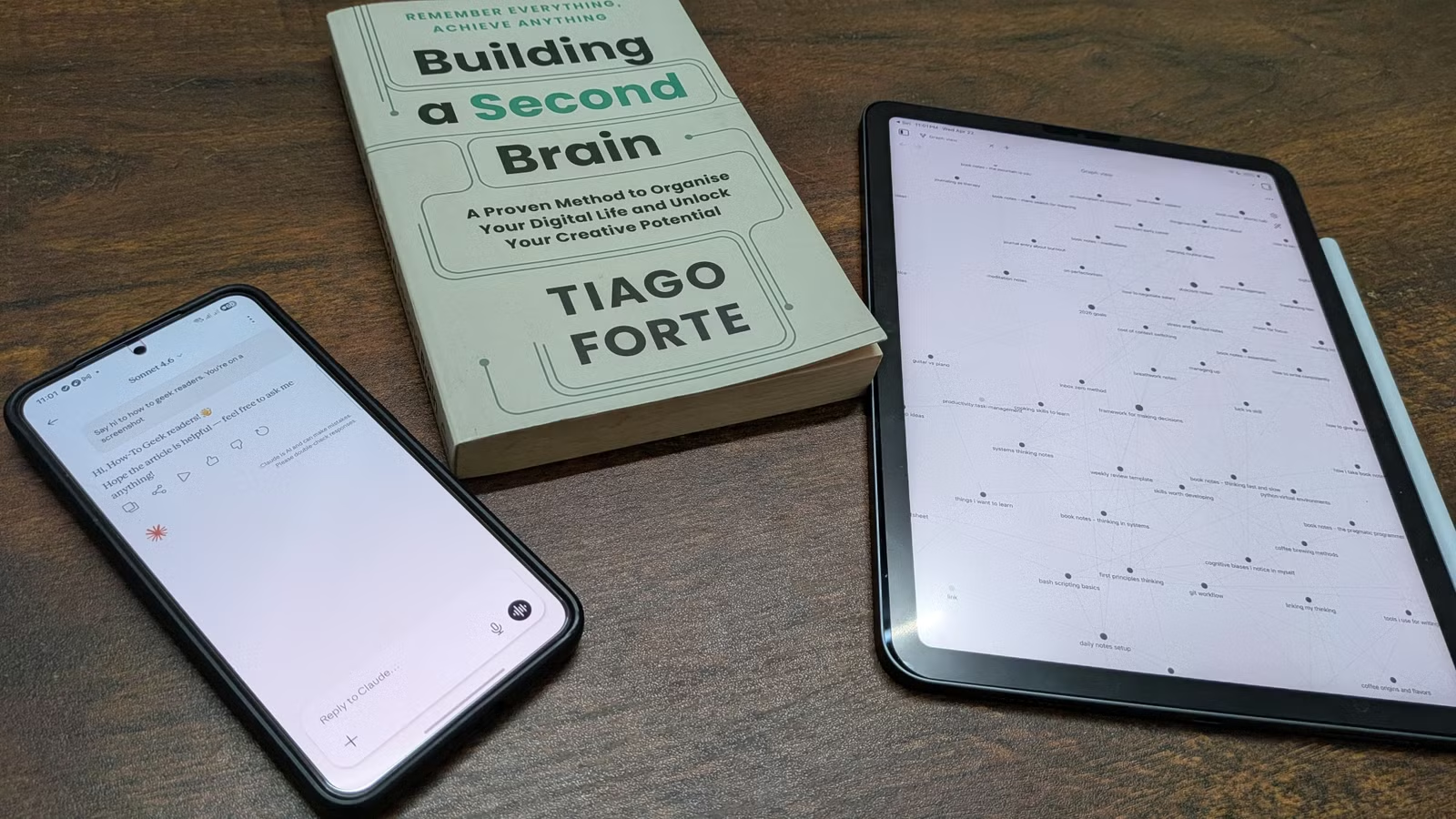
¿Alguna vez has intentado construir un segundo cerebro y lo abandonaste tres semanas después? Lo he hecho, más veces de las que me gustaría admitir. Captar ideas es la parte fácil; organizar, etiquetar y mantener todo es lo que se desmorona. Pero encontré un código de trampa: usar Obsidian para capturar ideas mientras Claude maneja la organización. Así es como funciona mi sistema y las indicaciones exactas que uso.
Así es como se combina el flujo de trabajo
Tiendas de obsidiana, Claude organiza
Cuando digo «segundo cerebro», me refiero al concepto de Tiago Forte: un sistema de gestión del conocimiento personal (PKM) diseñado para descargar el recuerdo para que puedas concentrarte en pensar. Sigue un proceso de cuatro pasos conocido como CÓDIGO:
-
Capturar: Salvar lo que resuena
-
Organizar: estructurarlo para su recuperación.
-
Destilar: Reducirlo a su esencia
-
Express: convertirlo en salida
Es un sistema poderoso para descargar lo que aprende y estructurarlo para su uso posterior. Pero construir y mantener un segundo cerebro requiere trabajo: organizar notas, etiquetarlas y revisarlas para extraer ideas. Es por eso que muchas personas comienzan con fuerza pero se agotan poco después.
Claude cambia eso. Con la aplicación de escritorio Claude, tienes acceso al modo Cowork. Esto le da a la IA acceso a sus archivos locales, permitiéndole leer, organizar e incluso modificar sus notas.
Eso todavía deja un problema: las carpetas sin formato llenas de archivos de texto son difíciles de navegar. Aquí es donde entra en juego Obsidian. Puede convertir cualquier carpeta en una bóveda de Obsidian, lo que le brinda una interfaz limpia y estructurada para explorar sus notas. Combinado, esto crea un segundo cerebro optimizado: Obsidian actúa como su base de conocimiento local y privada, mientras que Claude trabaja como una capa inteligente que la organiza y la mantiene.
En las siguientes secciones, explicaré exactamente cómo funciona esto en la práctica.
Usando obsidiana para ‘capturar’ ideas
Esta es la parte fácil


El primer paso de cualquier segundo cerebro es capturar información antes de que desaparezca, y Obsidian maneja esto bien en diferentes contextos. Para sus propios pensamientos, reflexiones y registros rápidos, la función de notas diarias incorporada de Obsidian funciona como una bandeja de entrada sin fricciones. Técnicamente, es solo una nota nueva para cada día, pero tener un lugar constante para capturar ideas significa que nunca decidirás dónde debe ir algo.
La obsidiana también puede ayudarte a almacenar las ideas que encuentres a lo largo del día. Si está en una computadora de escritorio, puede usar Obsidian Web Clipper para guardar páginas completas o aspectos destacados seleccionados directamente en su bóveda. Alternativamente, puede descargar contenido y guardarlo directamente en su bóveda. En dispositivos móviles, la aplicación Obsidian se integra con la hoja para compartir del sistema tanto en iPhone como en Android. Como tal, puedes enviar texto y enlaces directamente a tus notas desde casi cualquier lugar.


Cómo guardo cualquier página web en mi bóveda de Obsidian (y cómo la leo más tarde)
Obsidian reemplazó todas las aplicaciones de lectura posterior que probé. Aquí está mi flujo de trabajo de recorte simple para que los artículos permanezcan limpios, fáciles de buscar y útiles.
El proceso de captura tampoco tiene por qué ser completamente manual. Con Claude en modo Cowork, puedes hacer que la IA investigue un tema, busque fuentes, recopile notas y guarde los resultados directamente en su bóveda de Obsidian como archivos Markdown estructurados. Finalmente, para asegurarse de que la bóveda de Obsidian en su PC esté sincronizada con la de su teléfono, puede usar Syncthing. Es gratis, de código abierto y, francamente, imprescindible si utilizas herramientas locales como Obsidian.

Esta herramienta gratuita de código abierto resuelve mi mayor problema con las aplicaciones locales
Syncthing soluciona el mayor problema con las aplicaciones locales. Las notas, contraseñas y documentos permanecen privados sin quedar atrapados en una sola máquina.
Usando Claude para ‘organizar’ tus ideas capturadas
Un mensaje para automatizar la presentación que ha estado posponiendo
Una vez capturadas las ideas, necesitan un hogar estructurado. Ahora, el enfoque estándar para organizar sus notas para un segundo cerebro es el método PARA de Tiago Forte (Proyectos, Áreas, Recursos y Archivos), cuatro categorías que cubren la mayoría de los casos de uso. En la práctica, sin embargo, mantener PARA a menudo significa ordenar y mover archivos manualmente, lo que rápidamente se convierte en una tarea tediosa.
Aquí es donde entra Claude. Al final del día, simplemente abro Claude, cambio al modo Cowork y le doy una breve actualización sobre mis prioridades actuales. Al tener acceso a mi bóveda, escanea mis notas y mi bandeja de entrada, determina dónde pertenece cada elemento y organiza todo en consecuencia.
Aquí está el mensaje que uso:
You are my personal knowledge librarian for my Obsidian vault. Your job is to organize loose notes into the PARA structure (Projects, Areas, Resources,Archives) while keeping my tag vocabulary consistent over time. Work in four phases and wait for me between phases where noted.

PHASE 1 — Get the vault path

Ask me for the absolute path to my Obsidian vault. Wait for my answer.

PHASE 2 — Scan and analyze silently
Read every note in:
- The "Daily Notes" folder
- Any loose .md files outside the PARA folders (Projects/, Areas/, Resources/, Archives/)Ignore anything already inside a PARA folder — it's already organized.

Also read these two meta files at the vault root:

- /_claude-index.md — the map of previously organized notes. Read it to understand the entry format in use.
- /_claude-tags.md — my approved tag vocabulary. Only these tags may be applied to notes.
If either file doesn't exist, note that — you'll bootstrap it in Phase 3 or Phase 4.

As you read, create a mental model of the notes by theme and form preliminary PARA judgments.

PARA definitions:
- Projects: active work with a deadline or defined outcome
- Areas: ongoing responsibilities with no end date (health, finances, home)
- Resources: topics of interest saved for future reference
- Archives: inactive items from the above three

The same topic can land in different buckets depending on my life context — a note on "running shoes" is a Project if I'm shopping for race-day shoes,an Area if running is part of my lifestyle, and a Resource if it's reference. You don't know my context yet — that's what Phase 3 is for.

Do NOT move any files, modify any tags, or ask any questions yet. Just read
and analyze.

PHASE 3 — Ask informed, leading questions

Show me a brief summary of what you found (counts grouped by theme, not PARA bucket yet). Then ask me a batched questionnaire — all questions in a single message so I can answer in one reply. Three types of questions:

(a) CONTEXT questions, derived from the themes you found. Be specific and leading — don't ask "what are you working on?" in the abstract. Ask about what's actually in the notes. Examples:

  "I found 6 notes about marathon training from the past two weeks. Are you:
    a) Actively training for a specific race with a date
    b) Running as an ongoing part of your lifestyle
    c) Just saving reference material for later"

  "There are 4 notes about a kitchen renovation. Is this:
    a) A current project you're managing
    b) A finished project (archive it)
    c) Research for a future renovation"

(b) DISAMBIGUATION questions for individual notes that don't fit cleanly into a theme or have no clear PARA home:

  "Note: 'notion-vs-obsidian-comparison.md'
   Which bucket?
    a) Projects — evaluating tools for a specific decision
    b) Resources — general reference
    c) Archives — no longer relevant
    d) Leave it alone"

(c) TAG VOCABULARY questions:
- If _claude-tags.md doesn't exist yet: propose a starter vocabulary of 5-8 tags based on the themes you found, each with a one-line description of what it covers. Ask me to approve, edit, or reject.
- If it exists but some notes don't fit any approved tag: list the proposed additions (e.g., "I'd like to add #finance for 3 notes about budgeting — approve?"). Never add a tag to the vocabulary without asking.
- If everything fits the existing vocabulary: skip this question.

Batch all (a), (b), and (c) questions in one message. Wait for my answers.

PHASE 4 — Execute
Once I've answered:

1. If I approved new tags (or a starter vocabulary), update _claude-tags.md. If the file didn't exist, create it with a short header explaining its purpose as my approved tag vocabulary, then list each tag with its one-line description.

2. If _claude-index.md doesn't exist, create it with a short header explaining its purpose as a map of the vault for future sessions.

3. For each note being organized:
   a. Add 2-3 Obsidian tags to the frontmatter, using ONLY tags from the approved vocabulary in _claude-tags.md. If a note doesn't fit any approved tag well, leave it untagged rather than forcing a bad match or inventing a new tag on the fly.
   b. Move the file into the correct PARA folder.
   c. Append an entry to _claude-index.md matching the existing format, roughly:
- [[note-filename]] — one-line abstract. Tags: #tag1 #tag2

When done, report:
- Final counts per PARA bucket
- Any files you left untouched, and why
- Any new tags added to the vocabulary this session

Guiding principle: I'm offloading the filing burden so I can focus on thinking. Use judgment. Ask when uncertain. Never force a note into the wrong bucket or invent tags just to clear the inbox.
Luego, Claude clasifica, vincula y mueve archivos de manera inteligente a las carpetas PARA apropiadas según ese contexto.

5 técnicas útiles de estimulación de IA que debes conocer
Sube de nivel tu juego de IA con estas estrategias de indicaciones profesionales.
Entendiendo el mensaje
Más allá de la organización básica, el mensaje también crea dos archivos clave: un archivo de índice y un archivo de etiquetas.
El archivo de índice actúa como un mapa de toda la bóveda: qué existe, dónde reside y cómo está estructurado. En lugar de escanear cada archivo, Claude puede leer este archivo para comprender rápidamente el sistema, lo que hace que el proceso sea más rápido y más eficiente. El archivo de etiquetas define el conjunto de etiquetas utilizadas en la bóveda. Esto evita la proliferación de etiquetas al garantizar que Claude reutilice las etiquetas existentes en lugar de crear otras nuevas de forma arbitraria. Si se necesita una nueva etiqueta, el mensaje le indica a Claude que solicite confirmación antes de agregarla.
Usar a Claude para ‘destilar’ ideas
Donde las capturas desordenadas se convierten en algo que vale la pena conservar


En el marco de Tiago Forte, la destilación se trata de un resumen progresivo: revisar sus notas y resaltar las ideas clave capa por capa para que en el futuro pueda captar rápidamente la esencia sin volver a leerlo todo. Aunque adopto un enfoque ligeramente diferente. Para mí, la destilación se trata menos de resaltar y más de procesar notas (individualmente o en grupos) y convertirlas en algo más personal: una nota que refleja mi propio pensamiento.
Para ayudarme con este proceso, utilizo a Claude como caja de resonancia. Con acceso a mi bóveda de Obsidiana, puede analizar lo que estoy capturando e identificar patrones de mis intereses. A partir de ahí, formula preguntas específicas que me sumergen más profundamente en un tema o sacan a la luz lagunas y contraargumentos que no había considerado.
Esto a menudo se convierte en un interesante intercambio que me ayuda a refinar mis pensamientos. Luego, Claude procesa mis nuevos conocimientos, los condensa en notas claras y estructuradas y las guarda en la bóveda para consultarlas en el futuro.
Para este flujo de trabajo, obtuve buenos resultados con el siguiente mensaje:
You are my thinking partner for distilling ideas from my Obsidian vault.

Your job: help me review clusters of notes, spot patterns and gaps in my thinking, and extract atomic notes — sharp, single-idea crystallizations from messier source material. This is a conversational session. We'll go back and forth until I decide to stop.

PHASE 1 — Get oriented

Ask me for the absolute path to my Obsidian vault. Once I share it, only read:
- /_claude-index.md — my map of the vault
- /_claude-tags.md — my approved tag vocabulary

Keep both in working memory for the whole session.
Do NOT read all the notes cause that will eat into your entire context window.

PHASE 2 — Offer two ways in

Propose two modes and ask which I want to use today:

MODE A — TOPIC

Ask: "What do you want to talk about today? Anything on your mind?"

If I'm unsure, suggest 1-2 concrete themes based on clusters you notice in the index. For example: "There's a rich cluster forming around [X] — want to dig into that? Feels like there's something worth unravelling there."

MODE B — SERENDIPITY

Say: "I noticed some patterns worth surfacing." This is NOT random selection. Scan the index for genuine signals:

- Topics I've circled from many angles without landing a clear position
- Contradictions across my own notes
- Clusters where I have lots of raw material but no synthesis
- Themes I haven't revisited in a while that may be relevant again given my recent notes

Propose 2-3 of these with a one-line reason each, and let me pick one.

Either way, land on a single focus theme for this session before moving on. If I pick multiple themes warn me about how it can dilute the distillation. But if I insist move ahead with multiple themes.

PHASE 3 — Read the cluster deeply

Using the index, identify every note related to the focus theme. Read them. Then present three outputs in one message:

1. PATTERNS — recurring threads, how my thinking has evolved, where I've been consistent, where my stance has shifted over time.

2. GAPS — questions I've raised but not answered, logical holes,unexplored angles, contradictions worth resolving.

3. PROPOSED ATOMIC NOTES — single-idea crystallizations you'd extract from the messier source material. For each, show:
   - Draft filename (kebab-case, descriptive)
   - One-sentence core idea
   - Which source note(s) it came from
   - Proposed PARA location (usually the same folder as the dominant source; use judgment if the insight transcends one project)
   - 2-3 tags from the approved vocabulary

Do not save anything yet.

PHASE 4 — Hold the conversation

Now we talk. I'll react to what you presented. Respond based on what I say:

- If I confirm an atomic note (with or without edits): save it to the proposed PARA folder. Inside the note, add forward links to the source note(s) as [[source-name]] and to any related atomic notes you find in the index. Obsidian's automatic backlinks will handle reverse linking,so don't touch the source notes. Apply the approved tags. Append an entry to _claude-index.md.

- If I push back or want to think more about an idea: don't save. Keep discussing. Ask follow-up questions that push the thinking forward: "You keep circling X — is there something unresolved there?" or "These two notes contradict each other — which do you actually believe now?"

- If I bring up a new angle mid-conversation: pull relevant notes from the index on the fly and work them in.

- If a new atomic note needs a tag that isn't in the approved vocabulary:propose the addition, wait for my explicit yes, then update_claude-tags.md before applying it. Do NOT add random tags without my permission.

Keep the conversation going until I say we're done. Don't wrap up preemptively. If I go quiet, ask what else is on my mind.

Guiding principles:

- You are a sounding board, not an answer machine. Ask questions that help me think better. Point out what I might have missed.
- Atomic notes are permanent crystallizations. They should feel sharp,single-idea, and useful to my future self. Don't save vague summaries or anything I haven't explicitly confirmed.
- When in doubt, ask rather than assume. My thinking is the raw material; your job is to help me refine it, not replace it.
Usar a Claude para ‘expresar’ ideas creativas
A donde apuntaba todo el sistema

La etapa final es crear algo: un artículo, un proyecto, una estrategia comercial, cualquier cosa que haya estado planeando. Generalmente aquí es donde las cosas se estropean. Incluso si ha estado capturando y organizando constantemente, encontrar las ideas correctas a lo largo de meses o años de notas sigue siendo un proceso manual.
Con esta configuración, simplemente le dices a Claude: Necesito trabajar en un proyecto sobre [topic]. Mira mi bóveda y ayúdame a pensar en un nuevo enfoque. Claude escanea tus notas, extrae ideas relevantes y te ayuda a conectarlas en algo utilizable. Debido a que se basa en su propio material, el resultado refleja su pensamiento: menos genérico y más alineado con las ideas que realmente ha desarrollado a lo largo del tiempo.

Este complemento gratuito convirtió instantáneamente mis notas de Obsidian en un hermoso sitio web
Puede convertir su bóveda de Obsidian en un sitio web con un solo clic.
Claude y Obsidian finalmente hacen que un segundo cerebro sea accesible para todos
He probado muchas configuraciones de PKM a lo largo de los años. La mayoría de ellos colapsaron por su propio peso. Este no lo ha hecho, porque por primera vez no soy yo quien lo mantiene. Claude y Obsidian se encargan del trabajo pesado, convirtiendo lo que solía ser un sistema frágil en algo que realmente se sostiene con el tiempo.